Event organizers can send event announcements to registered EventHub participants.
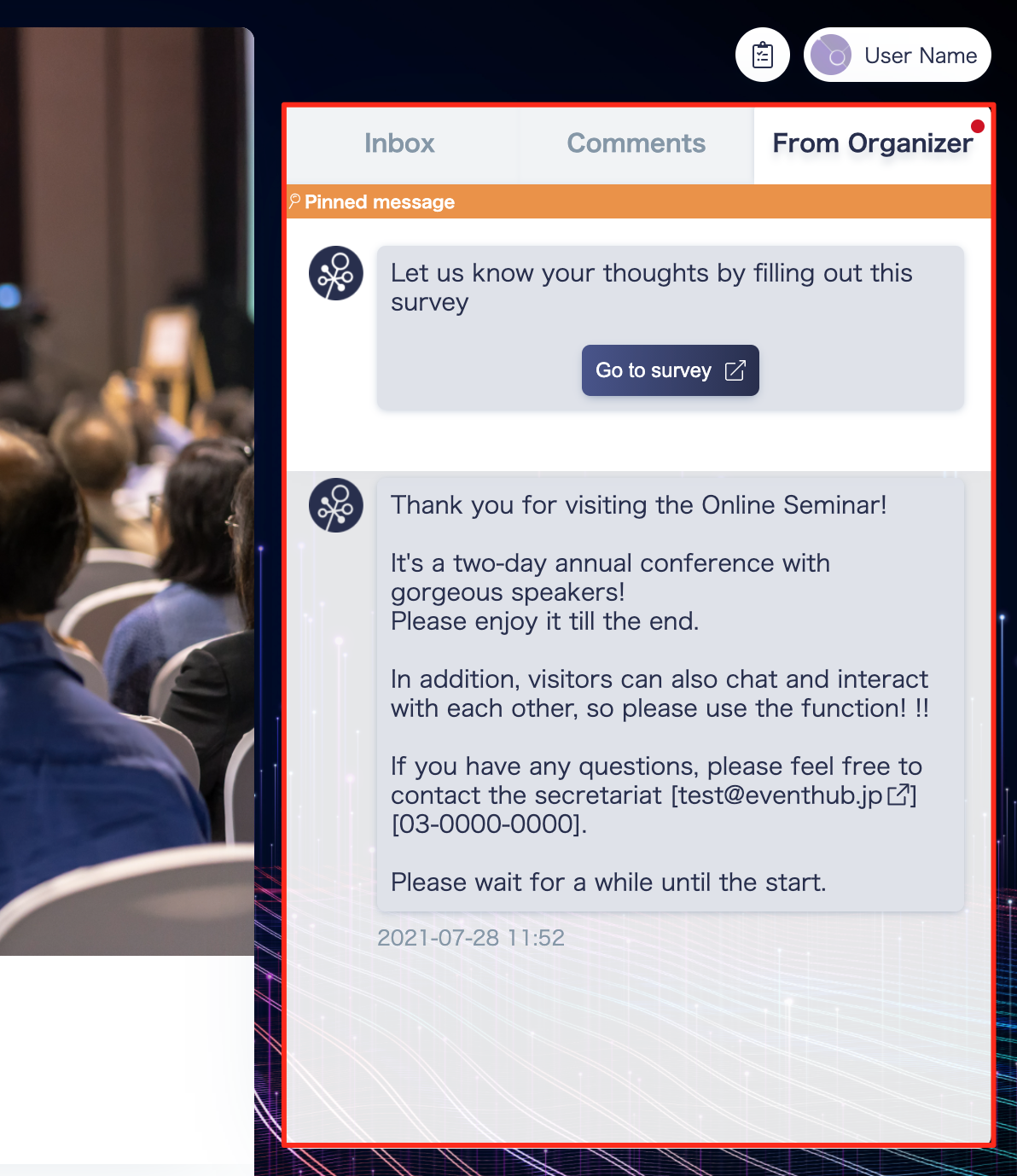
Where notifications are displayed for users: In the right-hand corner of the event page, you will find a "From Organizer" tab. All notifications will show up here.
How to send out an announcement
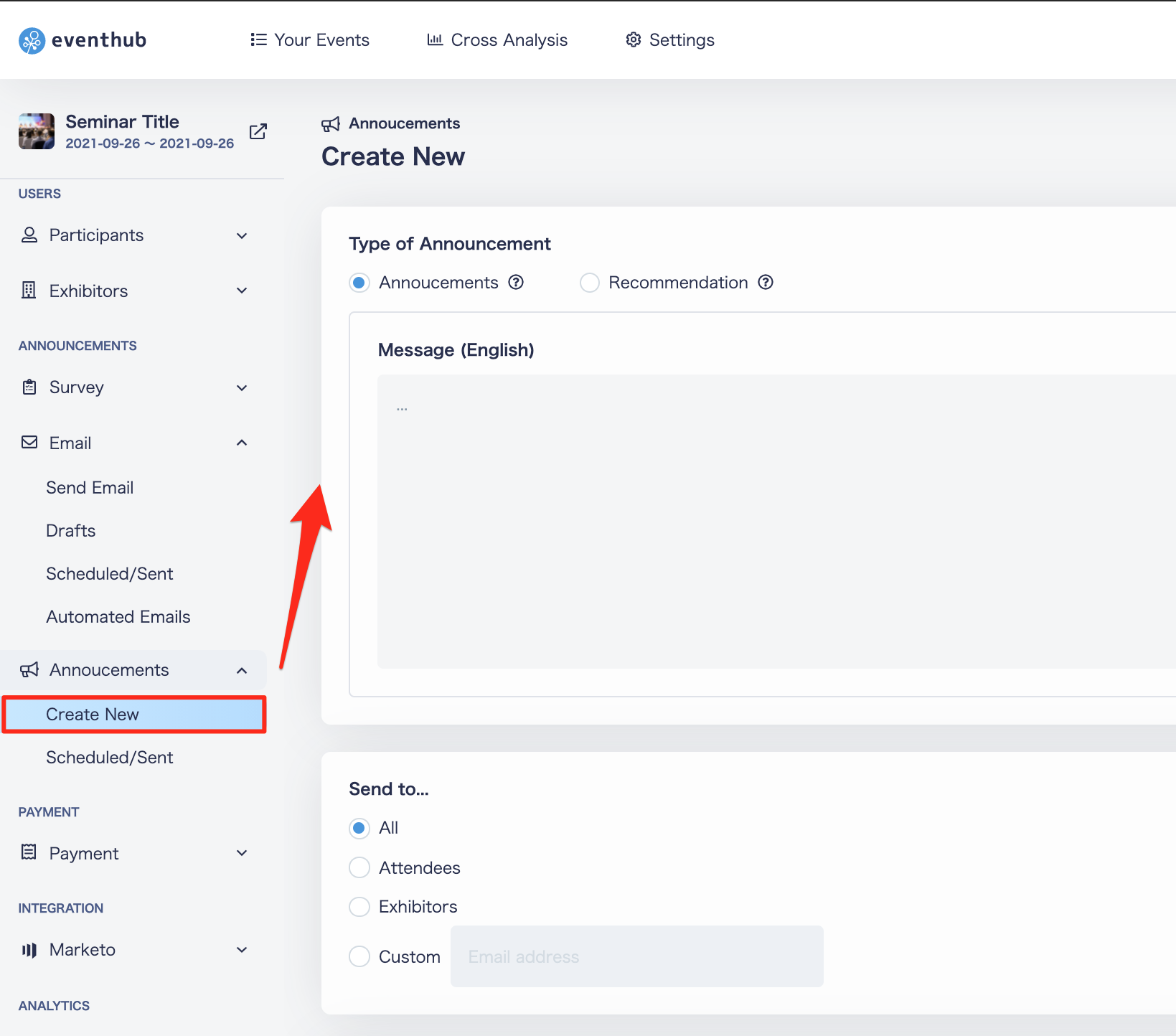
- Select the type of announcement
- Write the text for your announcement
- Select who will receive the announcement
- Click 'Send Now' to send immediately or 'Send Later' to schedule an announcement
- Click 'Done'
<tips>・Previously sent and scheduled announcements will be recorded under Announcements > Scheduled Sent. Both sent and scheduled notices can be deleted or edited after they are set. Both scheduled and sent messages can be edited or deleted after setup.
・Users do not receive email notifications for announcements.
・Even if a user enters the event after an announcement has been made, they can view past announcements from their user page.</tips>
*Please note that the notification messages are polled every two minutes and are not acquired live.